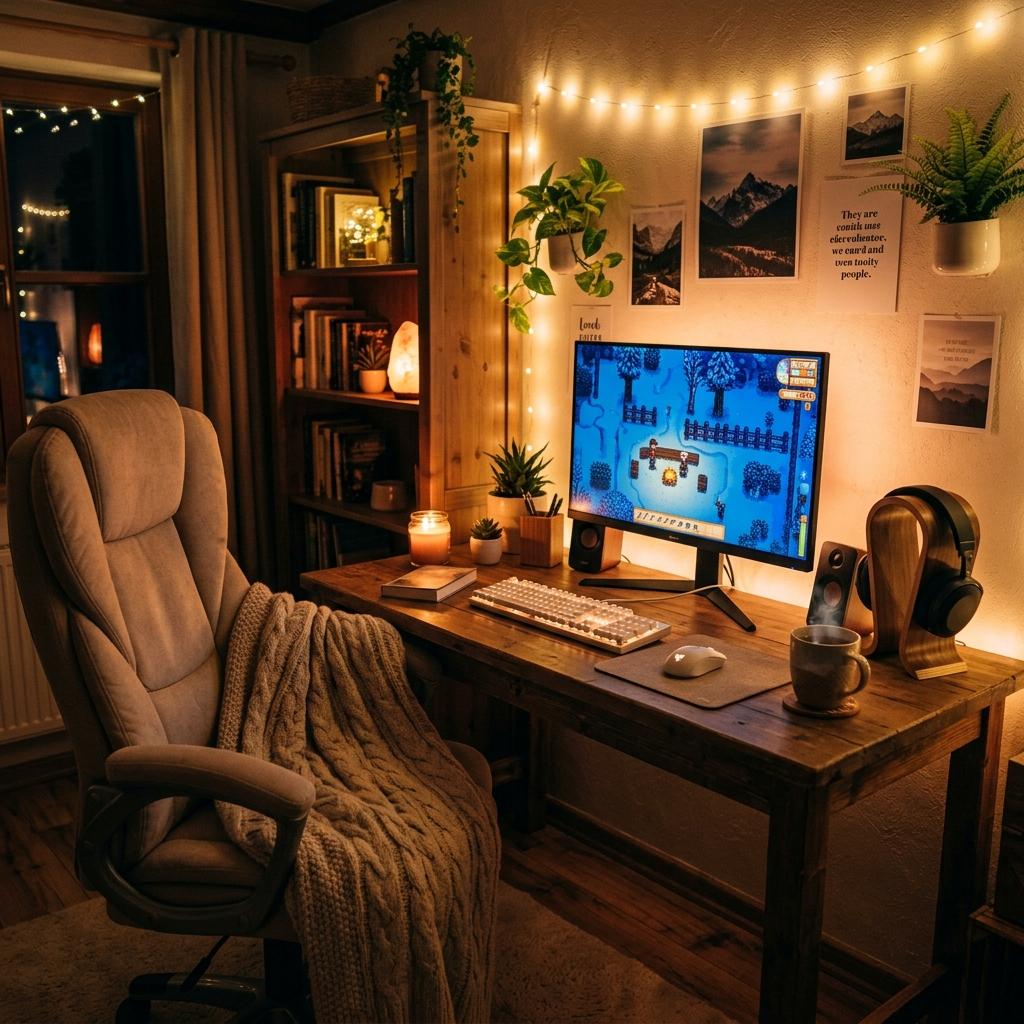
Cute Gaming Setup Tips for Beginners
Beginner-friendly cute gaming setup tips for choosing a theme, organizing cables, picking colors, improving lighting, and upgrading without overspending.
Updated 2026-06-23
A cute gaming setup does not need to happen all at once. Beginners usually get better results by choosing a color direction, cleaning up the desk, and upgrading one visible piece at a time.
What Beginners Should Prioritize
A beginner setup should solve two questions: does it feel good to use, and does it look like it belongs to you? The first question covers chair height, wrist space, audio comfort, lighting, and controls. The second covers color, texture, wallpaper, decor, and the objects you want visible. If you answer them in that order, you avoid the common trap of buying cute pieces that make the desk harder to use. Start with one comfortable play zone, one color direction, and one visible anchor item. Then add details only when the setup still feels easy to reset.
1Start with a color palette
Pick two main colors and one accent before buying accessories. White and pink, cream and sage, lavender and silver, or black and pastel purple all give you a clear direction.
2Clear the desk first
Cable clips, a desk mat, a monitor stand, and a small tray can make existing gear look better immediately. Clean surfaces make cute accessories stand out.
3Upgrade the pieces you see most
A keyboard, headset stand, mouse pad, wallpaper, lamp, or controller dock can change the look more than small decor scattered everywhere.
4Keep comfort in the plan
A cute chair still needs support, a pretty keyboard still needs a comfortable layout, and lighting should be soft enough for long sessions. Style works best when the setup is easy to use.
Beginner Setup Priorities
A Palette Solves Many Decisions
When you know your base colors, choosing a desk mat, headset stand, keyboard, wallpaper, and lighting becomes easier. A palette keeps budget purchases from looking random and helps old gear blend into the final setup.
One Anchor Item Is Enough
Beginners often think every item needs to be aesthetic immediately. In reality, one strong anchor such as a desk mat, keyboard, chair, or lamp can carry the room while you upgrade the rest slowly.
Cleanliness Is a Design Feature
Cable clips, dusting, storage bins, and a simple reset routine do more for the look than many decorative purchases. Cute setups stay cute when they are easy to maintain.
First Cute Setup Checklist
Pick Base, Accent, and Glow
Choose a furniture neutral, an accessory color, and a lighting tone before shopping.
Cover the Desk Surface
A large mat instantly adds color, hides wear, and makes mixed peripherals feel connected.
Tidy Cables Before Decor
Use clips, sleeves, trays, or velcro ties so new accessories are not competing with cord clutter.
Upgrade What You Touch
Prioritize keyboard, mouse, controller, chair, and headset comfort before purely decorative items.
Beginner Setup Mistakes
Buying Tiny Decor First
Small trinkets do less than a mat, lamp, stand, or shelf and can make the desk harder to use.
Ignoring Scale
A huge chair, oversized keyboard, or deep monitor stand can overwhelm a small desk.
Forgetting Maintenance
White and pastel gear can look amazing, but it needs regular cleaning to stay polished.
Next Steps
How to Make Your Gaming Setup Look Cute
A deeper guide to themes, color repetition, and visual clutter.
Read Guide Gear GuideBest Starter Gaming Gear for Gamer Girls
A practical first shopping list for new setups.
Read Guide ComparisonBudget vs Premium Gaming Setup
Where to spend first and where to save.
Read GuideFAQ
Key Takeaway
Beginner setup style is mostly about clarity: pick a palette, tidy the desk, then add cute pieces that also make gaming easier.