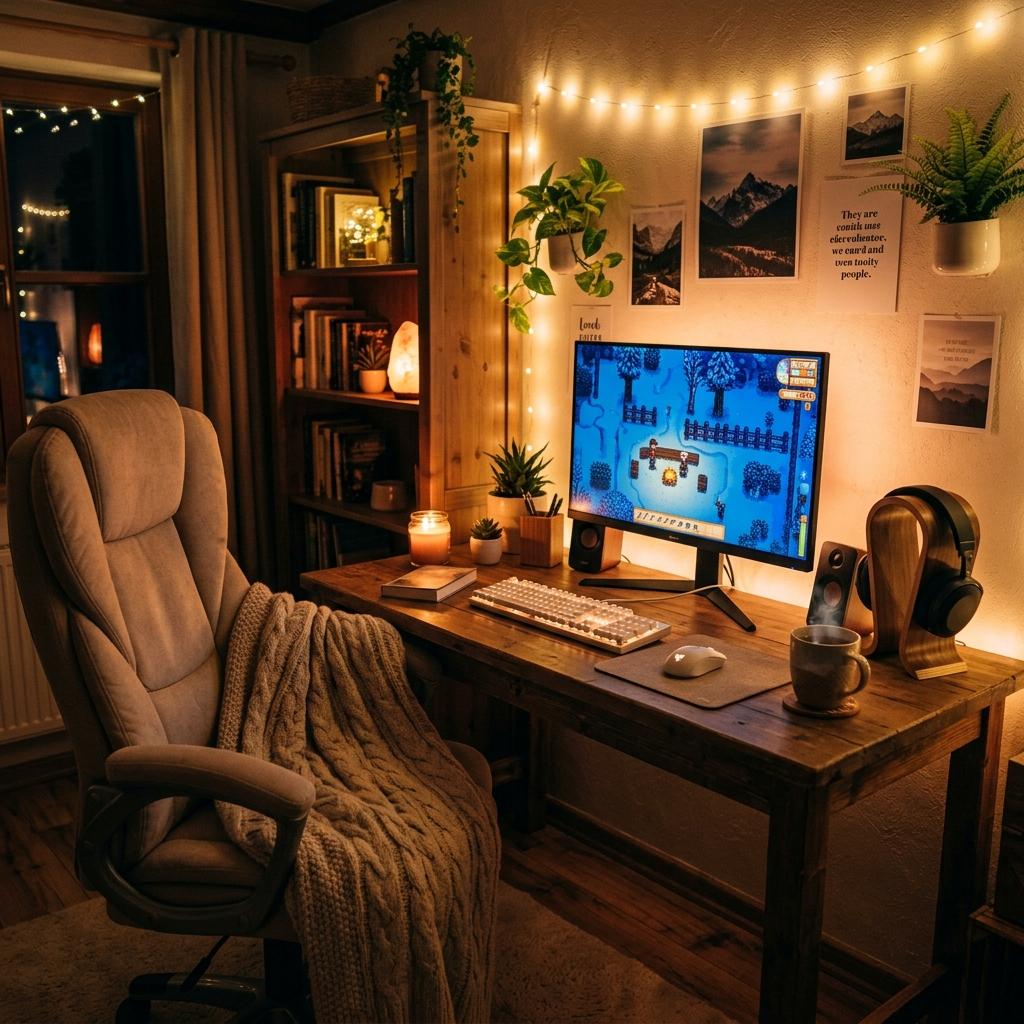
Gaming Setup Ideas for Small Rooms
Space-saving gaming setup ideas for small bedrooms, dorms, apartments, and shared spaces without giving up comfort or style.
Updated 2026-06-20
A small room can still hold a beautiful gaming setup if every piece earns its space. The key is to build vertically, keep the desk surface clear, and choose compact gear that does not make the room feel crowded.
Small Space Tradeoffs
Small gaming rooms reward editing. Every item needs to justify the space it takes up, and that includes decor. A second monitor, oversized chair, deep bookshelf, or large PC case might be worth it, but only if it supports how you actually play. Start by protecting the core gaming zone: chair movement, screen distance, keyboard and mouse space, and a safe path around the room. After that, move storage upward or under the desk. The setup will feel bigger when the floor stays clear, the wall has one organized display area, and the desktop is not acting as storage for everything you own.
1Start with the desk footprint
A 100-120 cm wide desk is enough for one monitor, a compact keyboard, mouse space, and a few accessories. If the room is very tight, choose depth over width so your monitor is not too close to your eyes.
2Use wall space
Pegboards, floating shelves, wall grids, and mounted headphone hooks move accessories off the desk. Vertical storage is the secret weapon for small gaming rooms.
3Choose compact peripherals
A 60%, 65%, or tenkeyless keyboard gives your mouse more room. A single monitor arm opens space under the screen and makes the whole desk feel larger.
4Keep decor light
Use one or two focal decor pieces instead of filling every corner. A lamp, one framed print, and a color-matched desk mat can look cleaner than many small objects.
Small Room Strategy
The Desk Has to Earn Its Footprint
In a small room, the desk is usually the largest visible piece. A narrower desk with good depth can feel better than a wide shallow one because your monitor, keyboard, and mouse have enough breathing room without taking over the wall.
Vertical Storage Beats Extra Furniture
Shelves, pegboards, wall hooks, and monitor arms give you storage without using floor space. The goal is to move accessories upward while keeping daily-use items within easy reach.
Light Colors Make Gear Feel Smaller
White, cream, pale wood, and soft pastels reflect more light and reduce visual weight. You can still use black gear, but surrounding it with lighter surfaces keeps the setup from feeling bulky.
Small Room Setup Checklist
Measure Width and Depth
Check the actual desk footprint before buying, including chair clearance and door or closet swing.
Choose One Main Screen
One monitor on an arm usually feels cleaner than two screens on stands in a tight room.
Use Compact Peripherals
A 65% keyboard and lightweight mouse free up the most important gaming surface: mouse space.
Move Storage Off the Floor
Use shelves, wall grids, under-desk trays, and vertical stands to keep the room easy to walk through.
Small Room Mistakes to Avoid
Overloading the Wall
Shelves help, but too many objects above the monitor can make a small room feel visually heavy.
Skipping Cable Planning
Visible cables stand out more in compact rooms. Plan power strips, clips, and charger locations early.
Choosing a Chair by Looks Alone
A bulky chair can overwhelm the room. Check dimensions and arm height before buying.
Next Steps
Budget vs Premium Gaming Setup
How to prioritize upgrades when space and budget are limited.
Read Guide KeyboardsBest Cute Gaming Keyboards
Compact boards that free up desk space while keeping the setup aesthetic.
Read Guide CozyCozy Gaming Setup Ideas
Warm setup inspiration that works especially well in bedrooms.
Read GuideFAQ
Key Takeaway
Small rooms reward careful choices. Go compact, use vertical storage, and let one clear aesthetic carry the setup.