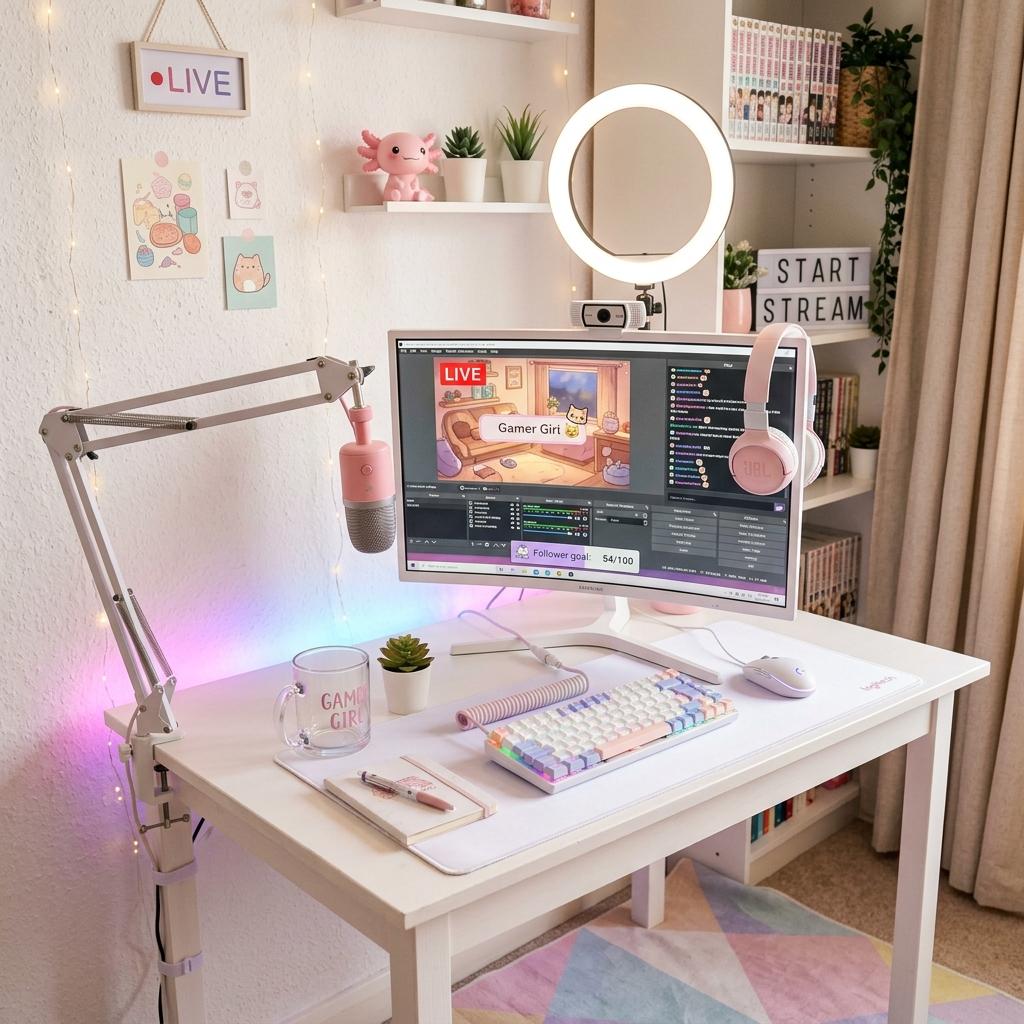
Beginner Streaming Setup Checklist (2026)
Everything you need to start streaming on Twitch or YouTube — microphones, webcams, lighting, software, and a step-by-step upgrade path.
Updated 2026-05-15
Starting a stream does not require expensive gear. With the right basics and a solid upgrade path, you can go live tonight for under $200. This guide walks you through exactly what to buy first, what to skip, and when to upgrade — no fluff, just practical advice for new streamers.
1Step 1: Choose your platform
Twitch is the largest dedicated streaming platform with built-in discoverability features. YouTube is better if you also want to upload VODs and build a long-form audience. Both are free to start. For most new streamers, Twitch is the easier starting point because the community is more interactive.
2Step 2: Get your audio right first
Audio quality matters more than video quality. Viewers will watch a 720p stream with clear audio, but they will leave a 4K stream with bad sound. Start with a USB microphone — no interface needed. Position it 6–8 inches from your mouth and use a pop filter to reduce plosives.
3Step 3: Set up basic lighting
Good lighting makes a huge difference on camera. A single ring light or key light placed in front of you and slightly above eye level eliminates shadows and makes you look professional. Avoid overhead room lights that create harsh shadows under your eyes.
4Step 4: Configure streaming software
OBS Studio is free, open-source, and used by the majority of streamers. Streamlabs provides a more beginner-friendly version with built-in overlays and alerts. Set your output to 720p 30fps to start — this is easy on your internet and PC. Upgrade to 1080p 60fps once your setup can handle it.
5Step 5: Make your layout look cute
Free overlay templates are available on Canva, Nerd or Die, and OWN3D. Choose a color scheme that matches your setup, add a chat widget, follower alerts, and a clean webcam border. Keep it simple — cluttered overlays distract from your content.
Essential Gear (Start Here)
Microphone
Fifine K669B USB Microphone
Clear audio, plug-and-play USB, metal body, adjustable tripod stand.
Webcam
Logitech C920x HD Pro
1080p 30fps, auto-focus, built-in dual mics (for backup), wide compatibility.
Lighting
Neewer 10" Ring Light + Tripod
Adjustable brightness and color temperature. USB-powered, desk or floor tripod.
Headphones
HyperX Cloud Stinger 2
Lightweight, comfortable, rotating ear cups, inline volume control.
Software
OBS Studio (Free)
Industry-standard open-source streaming and recording software.
Upgrade Path (When You Grow)
Microphone
Elgato Wave:3
Premium USB condenser mic with Clipguard technology and companion software.
Camera
Elgato Facecam MK.2
Dedicated streaming camera with Sony sensor, 1080p60, and zero-latency preview.
Lighting
Elgato Key Light Mini
Compact, app-controlled key light with 800 lumens and adjustable color temperature.
Stream Deck
Elgato Stream Deck MK.2
15 LCD keys for scene switching, sound effects, social media, and custom macros.
Capture Card
Elgato HD60 X
4K60 passthrough, 1080p60 capture, for streaming console gameplay to PC.
Beginner Streaming Planning Notes
Audio Is the Trust Builder
Viewers forgive a simple camera more easily than distorted, quiet, or echo-heavy audio. Before buying overlays or premium lights, record a local test and make sure your voice is clear and comfortable to hear.
Consistency Beats Production Value
A modest setup used regularly teaches you more than a perfect setup you are afraid to use. Start with one scene, one schedule, and one content lane, then improve the stream based on actual problems.
Your Desk Has to Work Off Stream Too
Most beginners stream from the same desk they use for gaming, school, or work. Mount lights, mics, and cameras so the setup can reset quickly when you are not live.
Beginner Stream Checklist
Record Before Going Live
Test audio, camera, lighting, game capture, alerts, and scene switching locally.
Use Simple Scenes
Start with gameplay, just chatting, be right back, and ending screens.
Set a Sustainable Schedule
Pick times you can repeat without burning out.
Moderate Early
Prepare chat rules, blocked terms, and a plan for trolls before you need it.
Streaming Setup Mistakes
Buying Too Much Before Testing
Stream a few times before investing in capture cards, stream decks, or premium cameras.
Overcrowding the Overlay
Alerts, chat, labels, and webcam frames should support the content, not cover it.
Ignoring Room Echo
Soft furnishings, lower gain, and closer mic placement can improve sound more than a new camera.
FAQ
Our Verdict
Start with the essentials kit above — microphone, webcam, ring light, and OBS. Total cost is around $150 and will get you streaming with better quality than most beginners. Upgrade one piece at a time as you grow, starting with audio since it has the biggest impact on viewer retention.